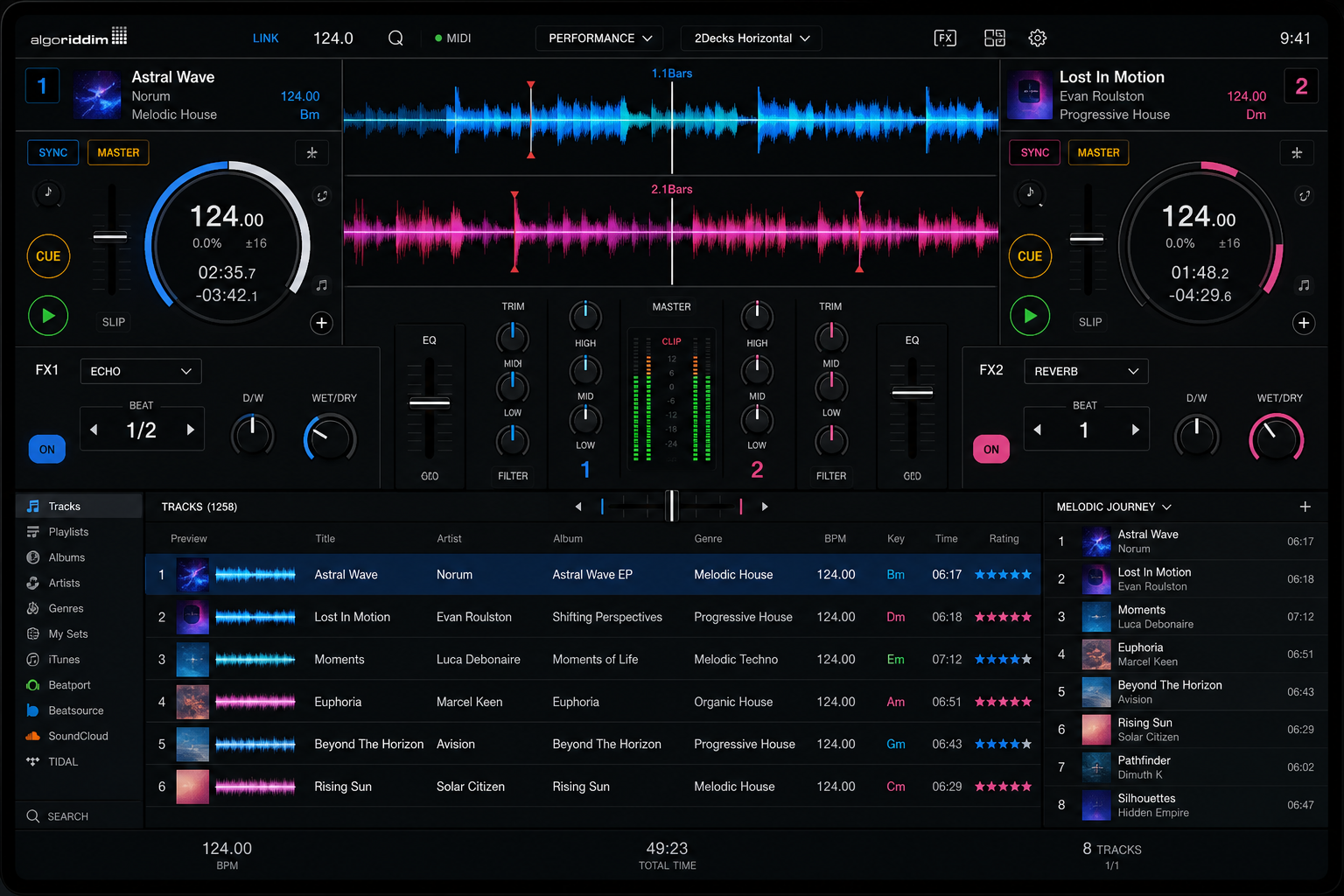
Software That's Ready When You Are
Every DJ has experienced the ritual: buy new hardware, download the software, install it, activate the license, configure audio settings, set up controller mappings, update drivers, restart, and hope everything works. It's a process that can eat up an entire afternoon — and that's before the first actual DJ set.
NeoDeck eliminates every step of that process. When you unbox the device, the DJ software is already installed, configured, and optimized for the hardware it's running on. Audio routing is pre-set with outputs mapped correctly. Controller mappings for dozens of popular devices are pre-loaded. The software has been stress-tested on the exact same hardware you're holding.
This isn't just convenience — it's reliability. When hardware and software are tuned together, you get lower latency, fewer crashes, and consistent performance that no generic laptop setup can match. NeoDeck's software stack is maintained and updated automatically, so you're always running the latest stable version without lifting a finger.
Plug In and Play
Every aspect of the software experience is designed to get you mixing faster.
Zero Setup Required
Unbox NeoDeck and it's ready to go. The DJ software is pre-installed, audio routing is pre-configured, and controller mappings are already loaded. There's no installation wizard, no license activation, and no "first run" setup. Press power, and you're inside your software in 8 seconds.
Hardware-Optimized Performance
The software isn't just installed — it's tuned for NeoDeck's specific hardware. Audio buffer sizes, thread priorities, and rendering pipelines are calibrated to extract maximum performance from the processor and audio interface. The result is lower latency and higher stability than any laptop configuration.
Automatic Silent Updates
NeoDeck handles software updates over-the-air. New versions, bug fixes, and feature additions are downloaded in the background and applied on next boot. You'll never be interrupted mid-set by an update prompt, and you'll always be running the latest stable release.
All Major File Formats
Play tracks in MP3, FLAC, WAV, AAC, AIFF, OGG, and WMA without converting anything. NeoDeck's software handles every professional audio format natively, so you can load music from any source — streaming downloads, Bandcamp purchases, vinyl rips, or studio masters.
Streaming Integration
Access millions of tracks directly from streaming platforms integrated into the DJ software. Browse, search, and load tracks from your streaming library right alongside your local collection. Perfect for taking requests or discovering new music during warm-up sets.
Pre-loaded Controller Mappings
Plug in any supported controller and it works instantly. NeoDeck ships with pre-configured MIDI and HID mappings for Pioneer, Numark, Denon, Native Instruments, Hercules, Reloop, and more. No downloading mapping files, no manual configuration, no troubleshooting.
The Setup Tax Is Killing Your Flow
For Working DJs
You're booked for a Friday night set. Your laptop decides to update the DJ software 30 minutes before doors open. The new version changes your controller mapping. Now you're scrambling to reconfigure while the venue manager asks why the music isn't playing. NeoDeck's managed updates happen silently and only apply on next boot — never during your prep.
For Beginners
The biggest barrier to DJing isn't learning to beatmatch — it's getting the software configured. Audio routing, ASIO drivers, buffer settings, MIDI learn, and output assignments are overwhelming for newcomers. NeoDeck removes every technical hurdle so you can focus on the music from day one.
For Event Organizers
When you deploy NeoDeck at a venue, every DJ who walks in gets the same reliable software experience. No more "my version of Serato won't load" or "I need to install a driver." The software is always there, always updated, and always working.
For Digital Music Collectors
Your library includes FLAC files from Bandcamp, MP3s from record pools, WAV exports from producers, and tracks saved from streaming. NeoDeck's software handles every format natively — no transcoding, no compatibility issues, no "unsupported format" errors in the middle of a set.
Play Anything
Skip the Setup.
Start Mixing Immediately.
Join the waitlist for a DJ computer that's ready the moment you unbox it.
Get Early Access